 by
GTA 6's vast open world is begging to be explored, but before you sink your teeth into Leonida, there are a handful of tips and tricks you should know. This spoiler-free GTA 6 guide includes info on a dozen key features and mechanics that will help you make the best start to your life in Vice City.
Subscribe to Push Square on YouTube172k
GTA 6 Tips & Tricks You Need to Know
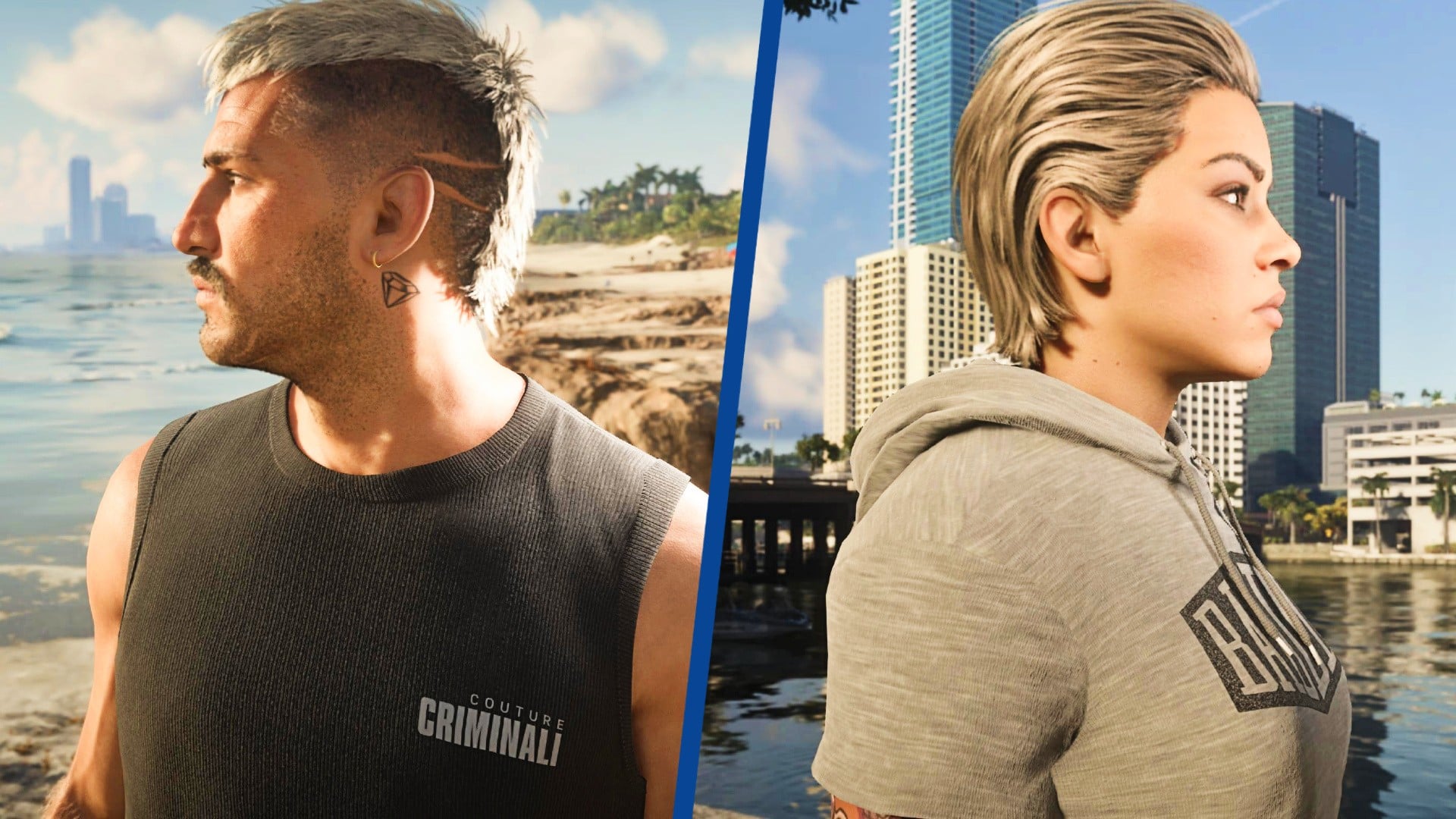
Below are 12 spoiler-free GTA 6 tips and tricks that will improve your life in Leonida:
How Do You Change the Difficulty?
GTA 6 doesn't have traditional difficulty options like other games, but there are a couple of ways you can make Leonida more manageable.
Press and select Settings > Gameplay. Scroll to the bottom (options 24 and 25) and you can choose to enable Accessible Combat and Reduced Vehicle Damage, as shown:
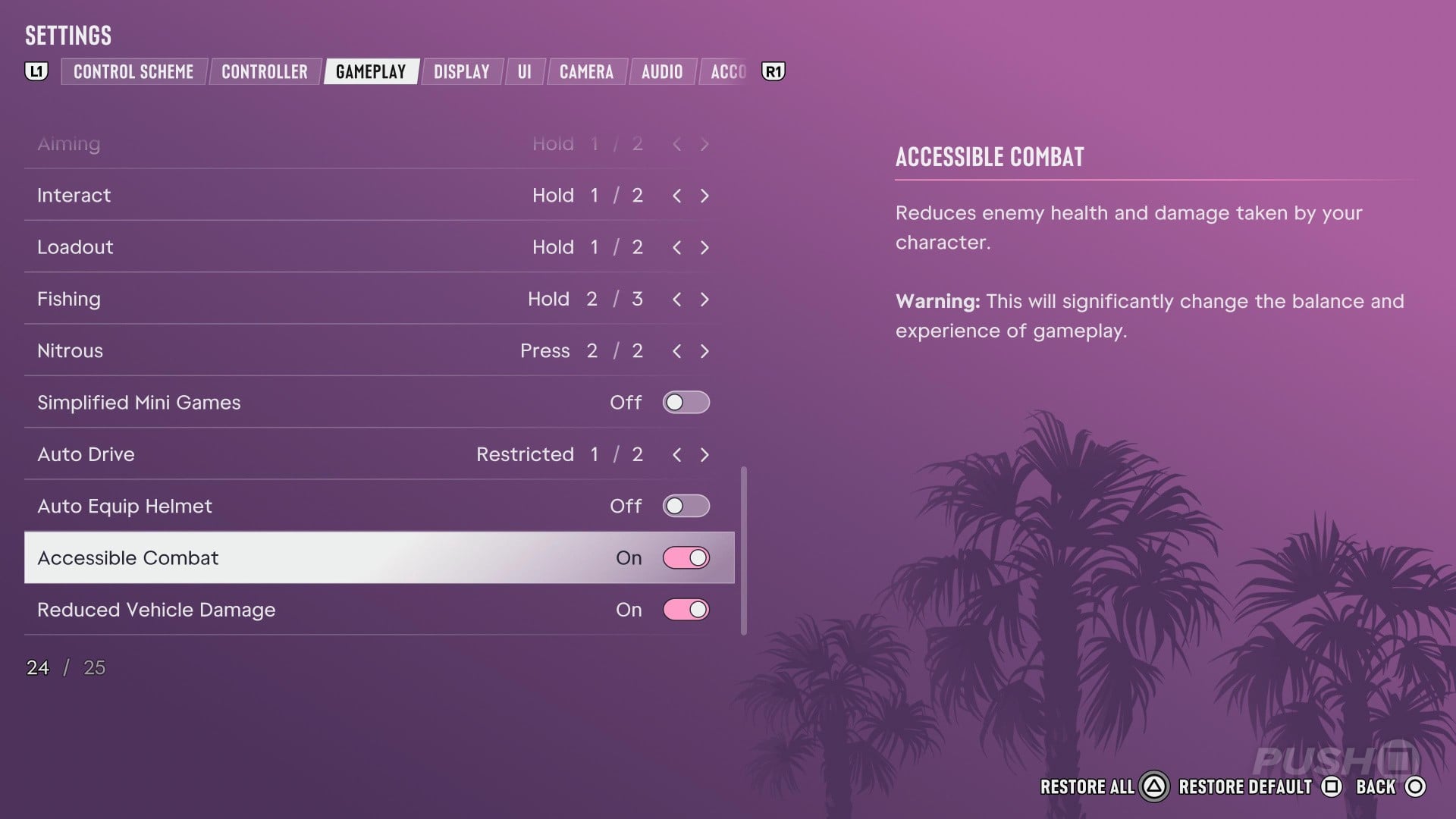
Accessible Combat will both reduce the damage you take in gunfights, while increasing the damage enemies receive, making firefights much more manageable.
Reduced Vehicle Damage, meanwhile, will reduce the damage your car takes when in crashes or combat. This means there's less chance of your car becoming difficult to control or exploding.
The game will warn you that enabling these "changes the balance and experience of gameplay", meaning your experience will be a lot easier. Using them does not alter the story or disable Trophies, however.
How Do You Select GTA 5 or GTA Online Controls?
GTA 6 has a new control scheme which modernises its gameplay by mapping run to L3 and jump to Cross/X.
For those of you who've spent over a decade playing GTA 5 and GTA Online, however, you may prefer to use Rockstar's more traditional control scheme.
Fortunately, this is relatively easy to enable.
Press and select Settings > Control Scheme, as pictured:
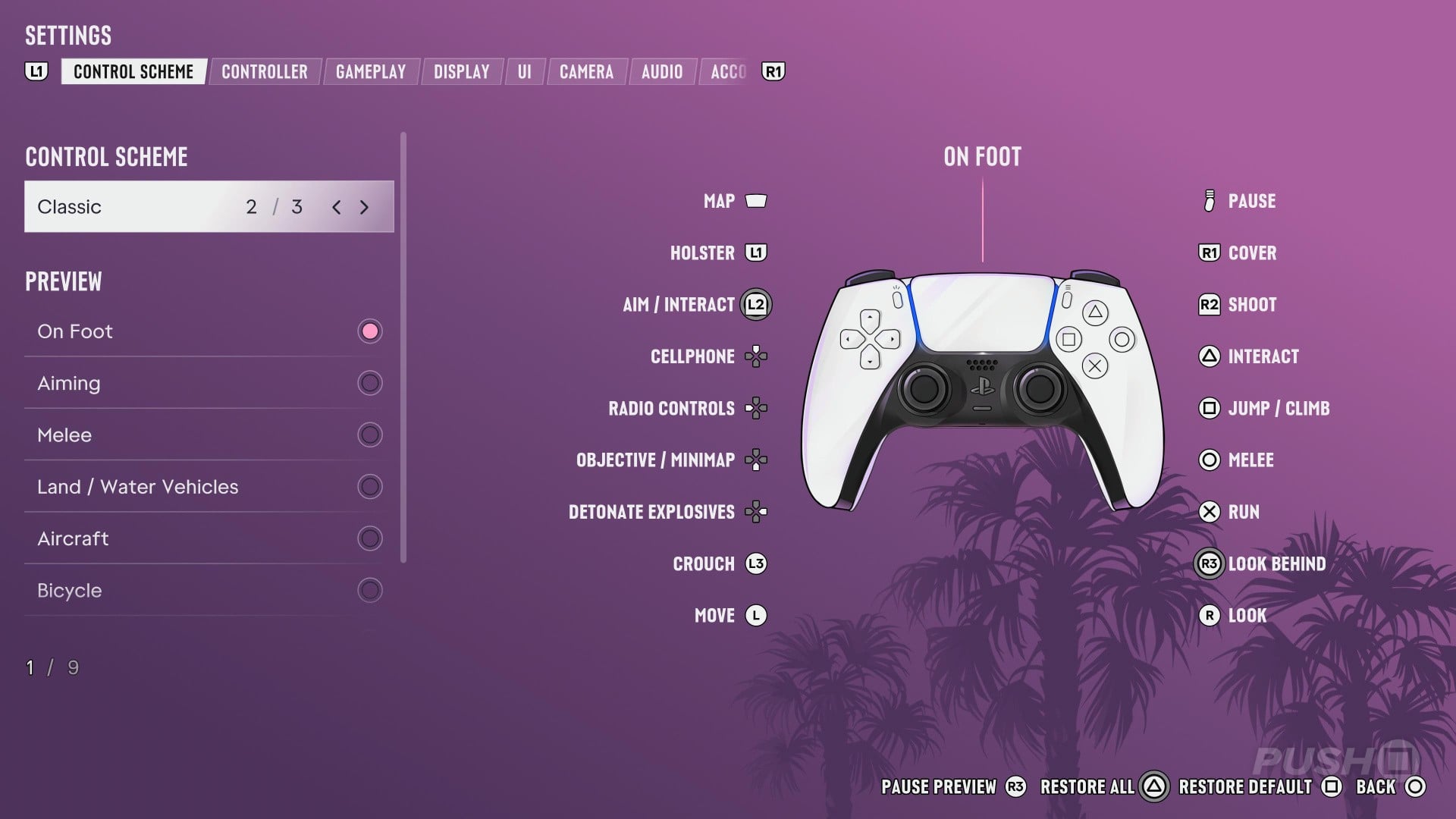
The control scheme will automatically be set to the new Default layout, but you can toggle to Classic if you prefer the GTA 5 approach.
How Do You Steal Cars Quicker?
As its name implies, GTA 6 is all about grand theft auto — or, in other words, stealing cars.
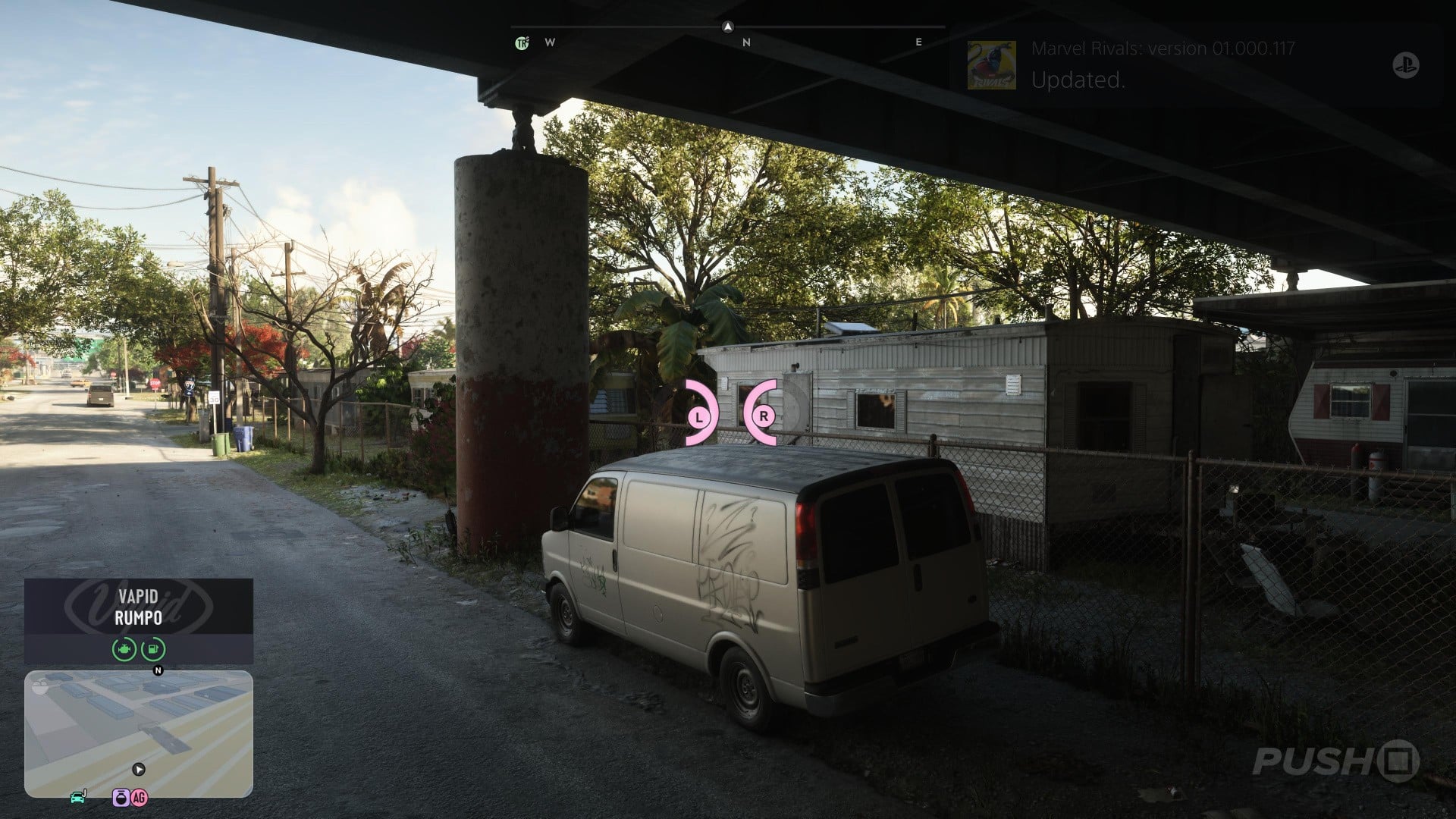
Most vehicles you find parked around Vice City will be locked, but it is possible to steal them quicker with a very simple tip.
When the minigame for any criminal activities appear — like using your Slim Jim, Clone Key, or even hotwiring a car — there's a pink "sweet spot" you can find to speed up the action:
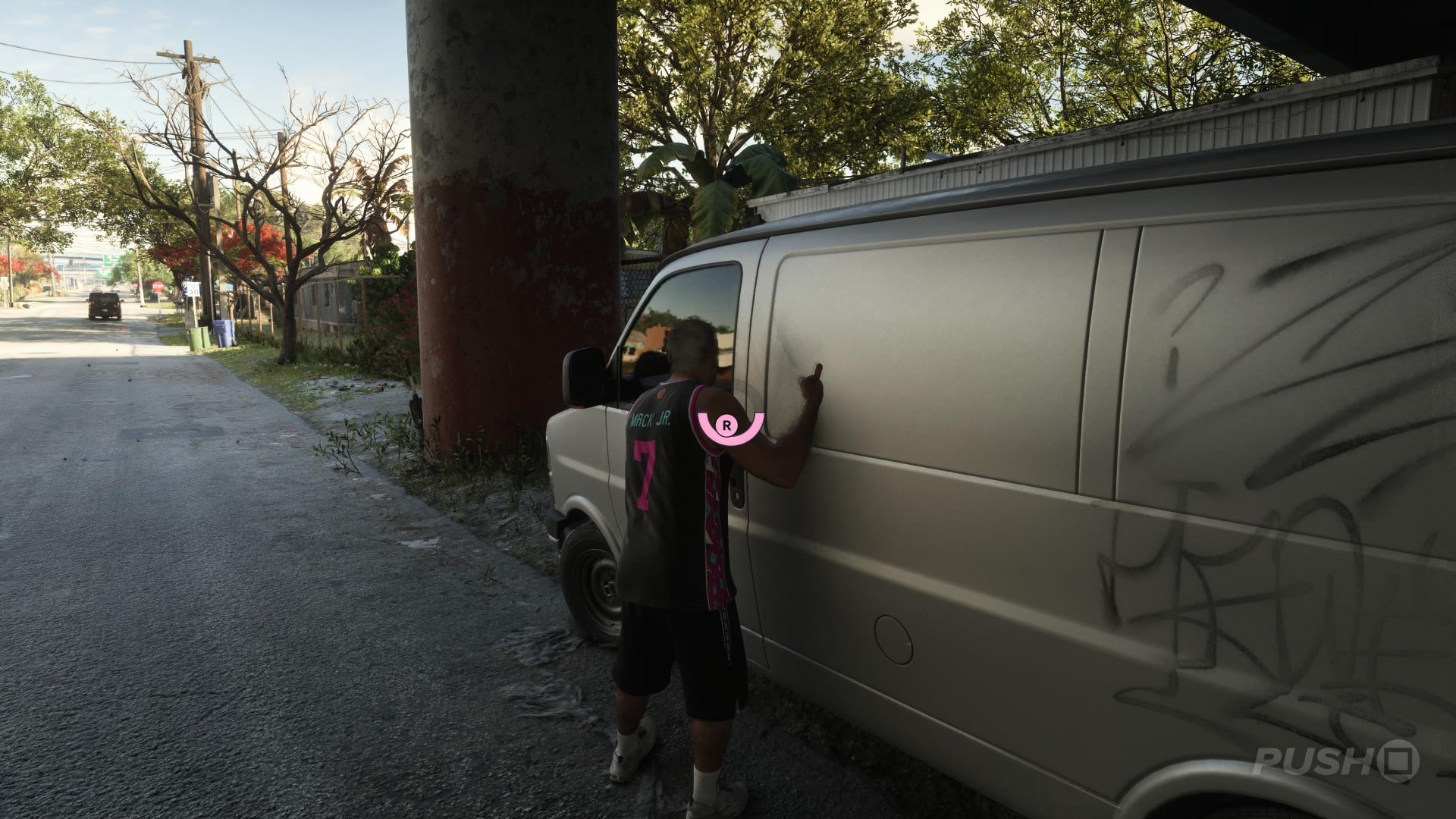
This makes it quicker to break in and make a quick getaway.
Just move the sticks around to find the right spot, and use those extra seconds wisely to escape swiftly:
How Do You Find Out What to Do Next?
GTA 6 has a living, breathing open world that encourages exploration. If you take the time to look around, you'll almost certainly discover something to do.
However, if you want to continue with the story and you're not sure what to do next, there's a way to easily see your next objective or story mission.
Press the Touch Pad to open your map and then using the index on the left of the screen, press Right to see a list of available story missions, with mandatory objectives at the top and optional ones listed below:
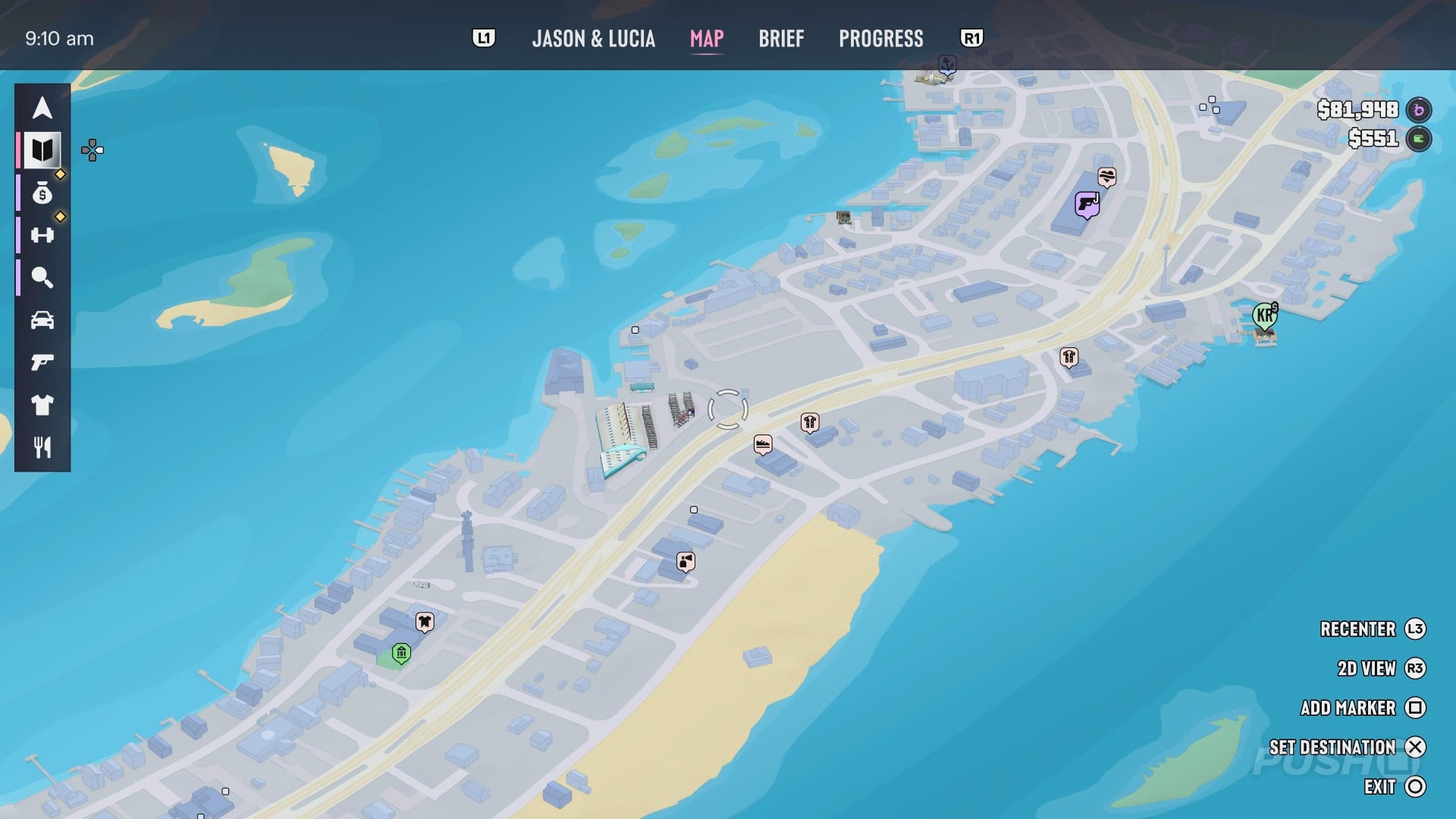
You can immediately set a waypoint to any mission with Cross/X.
How Do You Fast Travel?
There is no traditional fast travel in GTA 6, but there is a way you can get around the map quickly for a nominal fee.
Bring up your smartphone by pressing Up and select RydeMe:
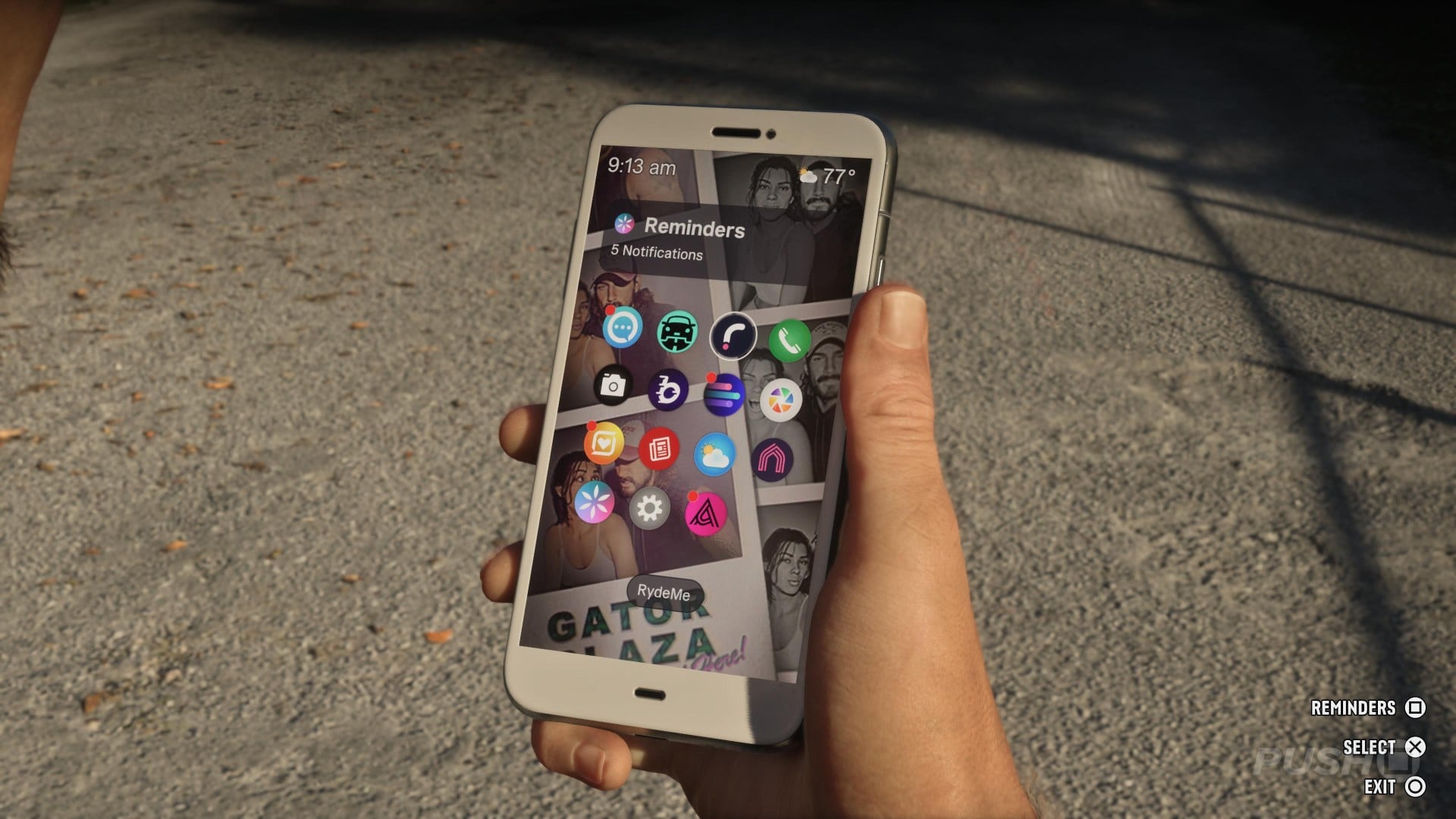
You'll need to have an active waypoint, which you can choose from within the app or by picking one in advance via your map with Touch Pad.
Select Book Ryde:
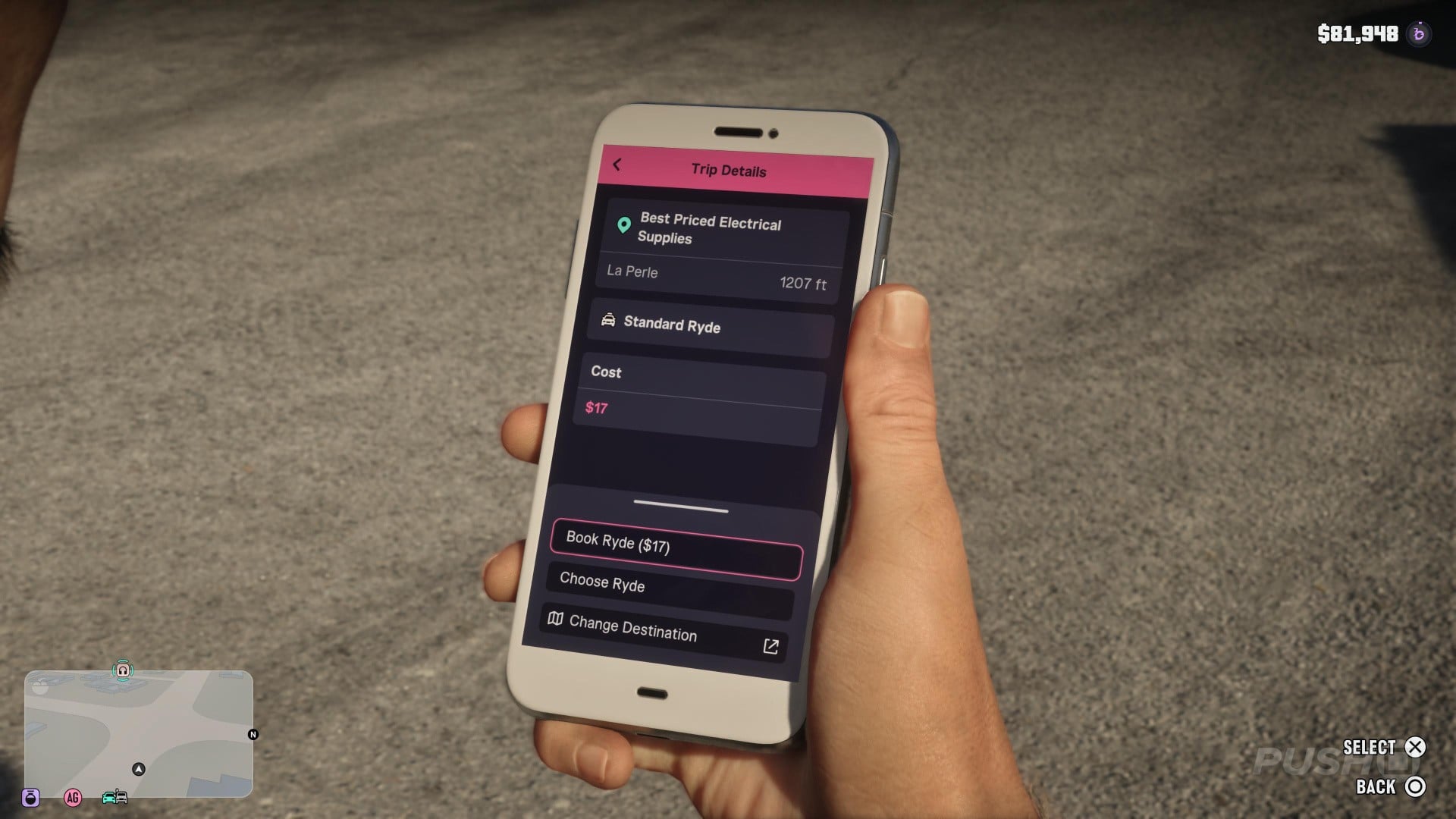
You'll be notified a driver is on the way and you'll be able to see them from your minimap:
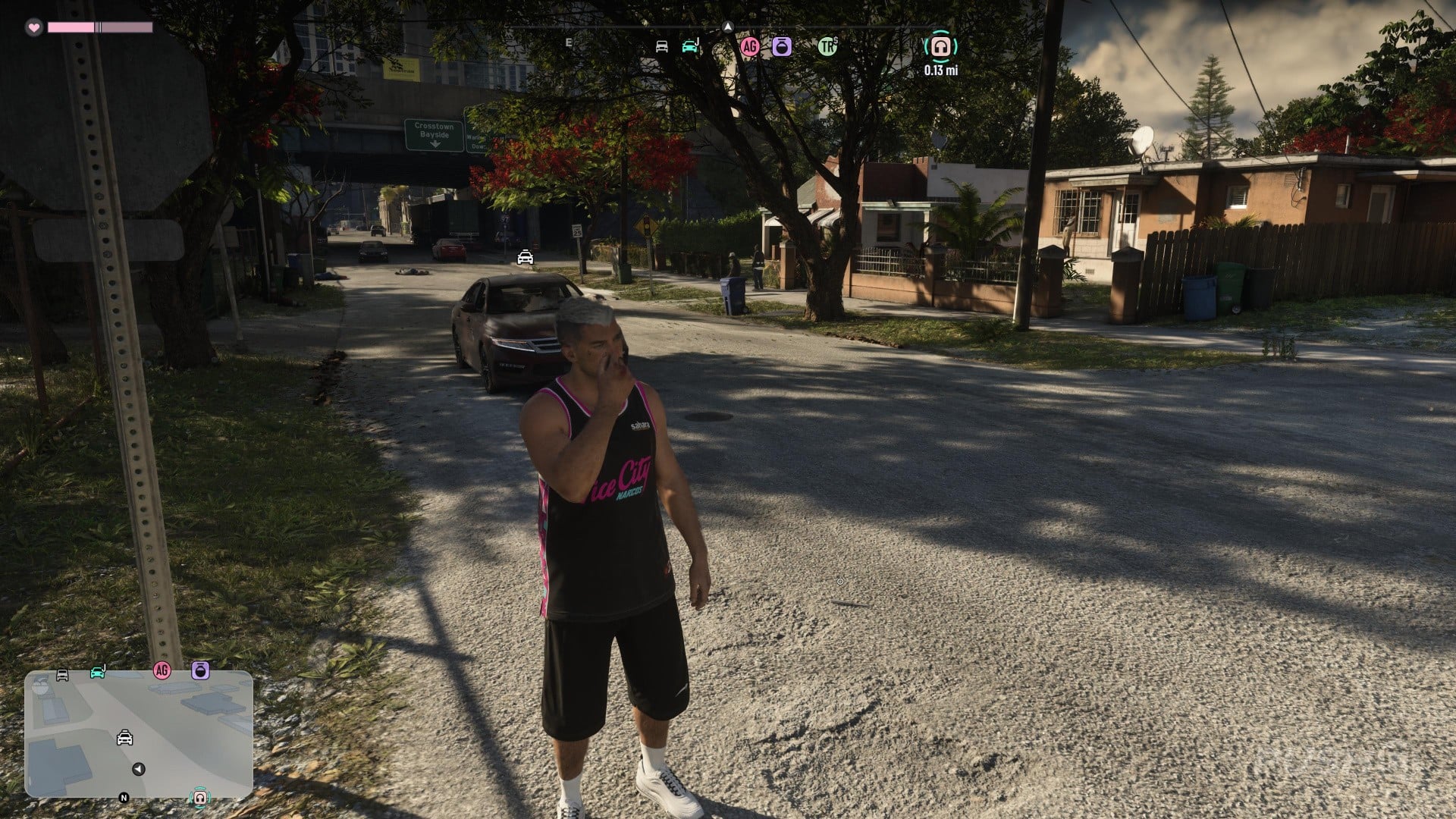
Once you get in your Ryde, hold L2 to focus on your driver. You can then hold Triangle to skip your journey for $100 and immediately arrive at your destination:
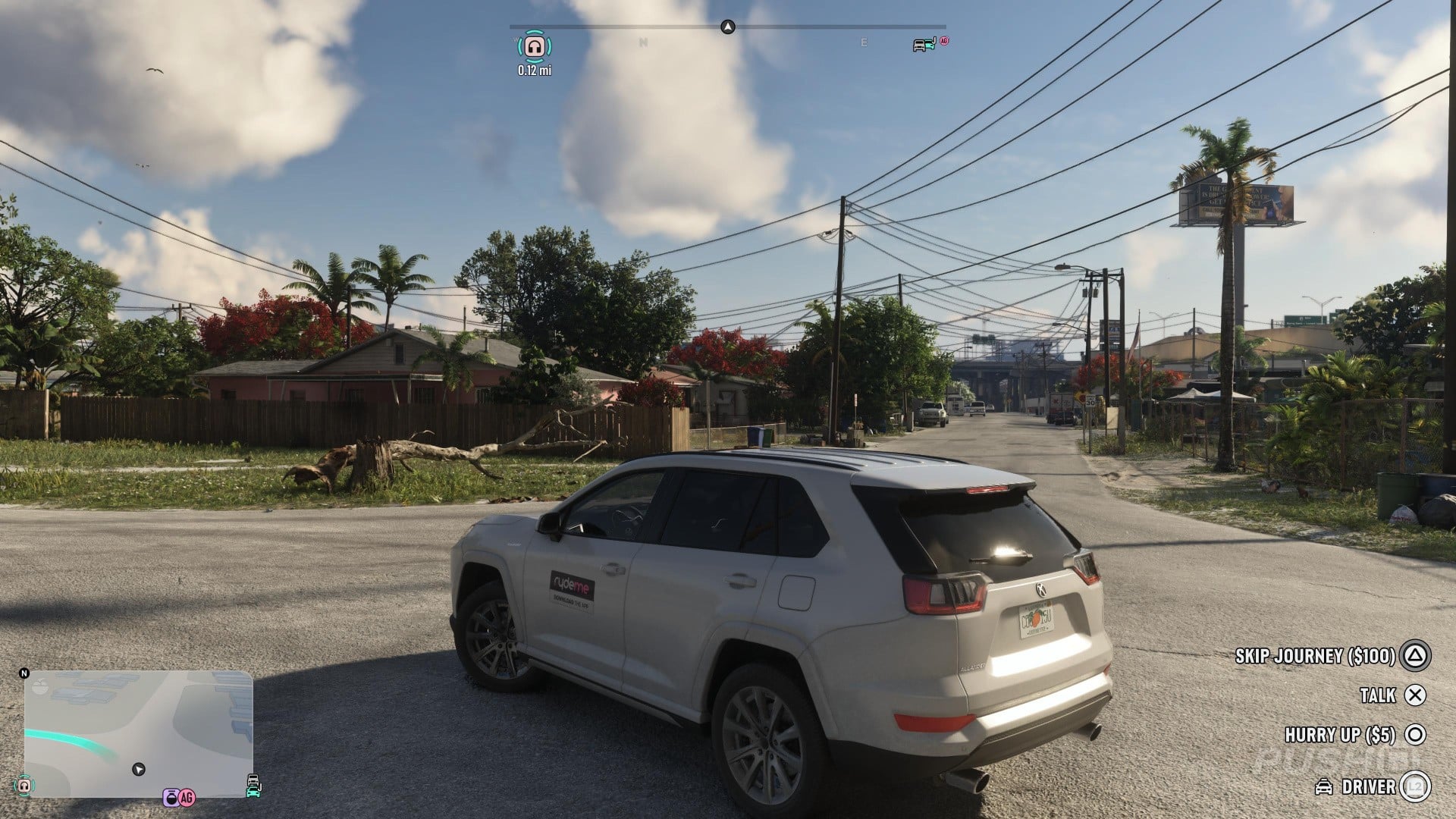
Longer journeys will cost more than shorter ones, but fast travelling this way is relatively inexpensive overall.
How Do You Protect Your Money?
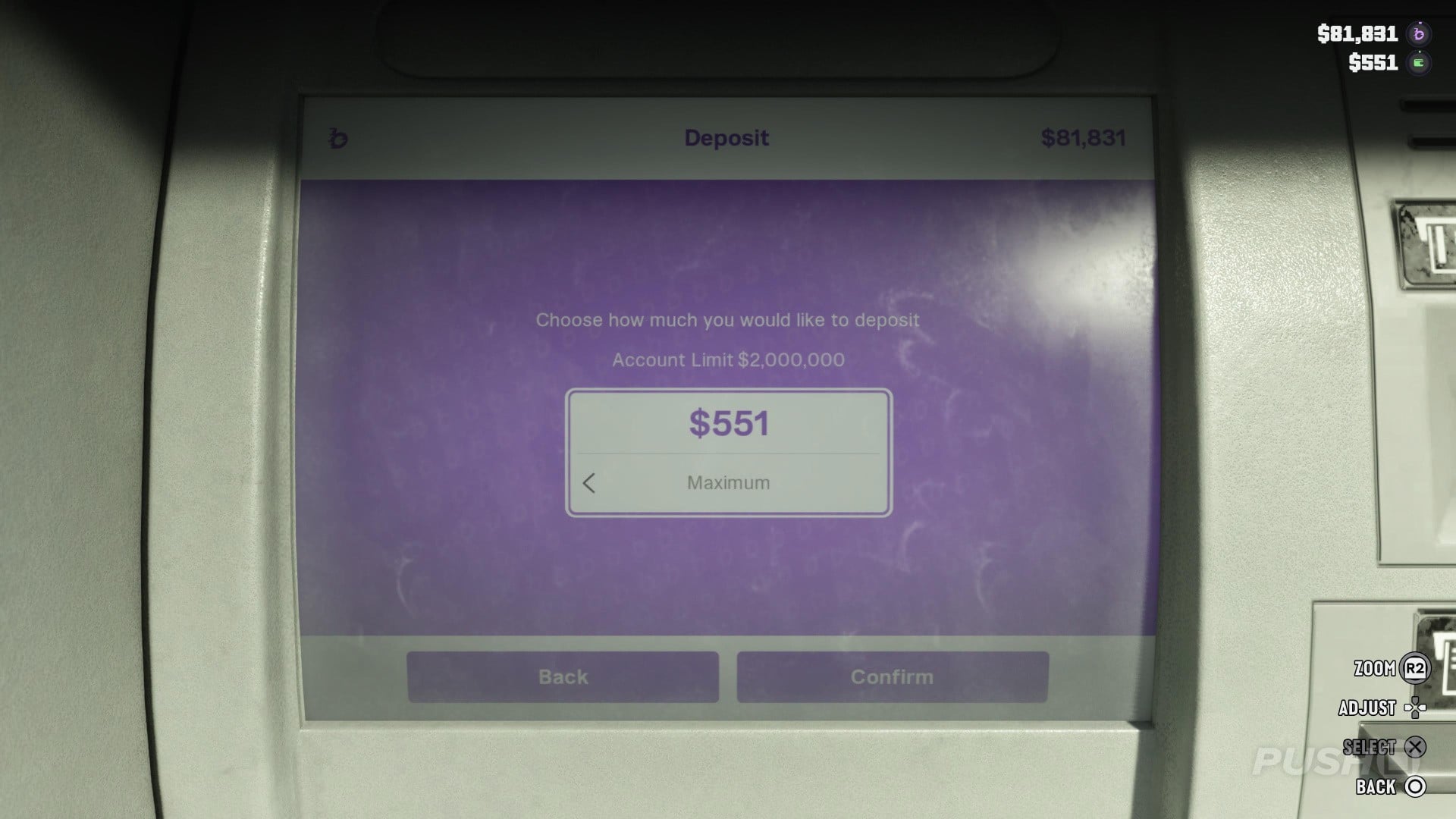
There are two types of money in GTA 6: cash stored in your wallet and money protected in your BuckMe bank. The latter will unlock as part of Chapter 1.
You can see both types of money at any time by pushing Down:
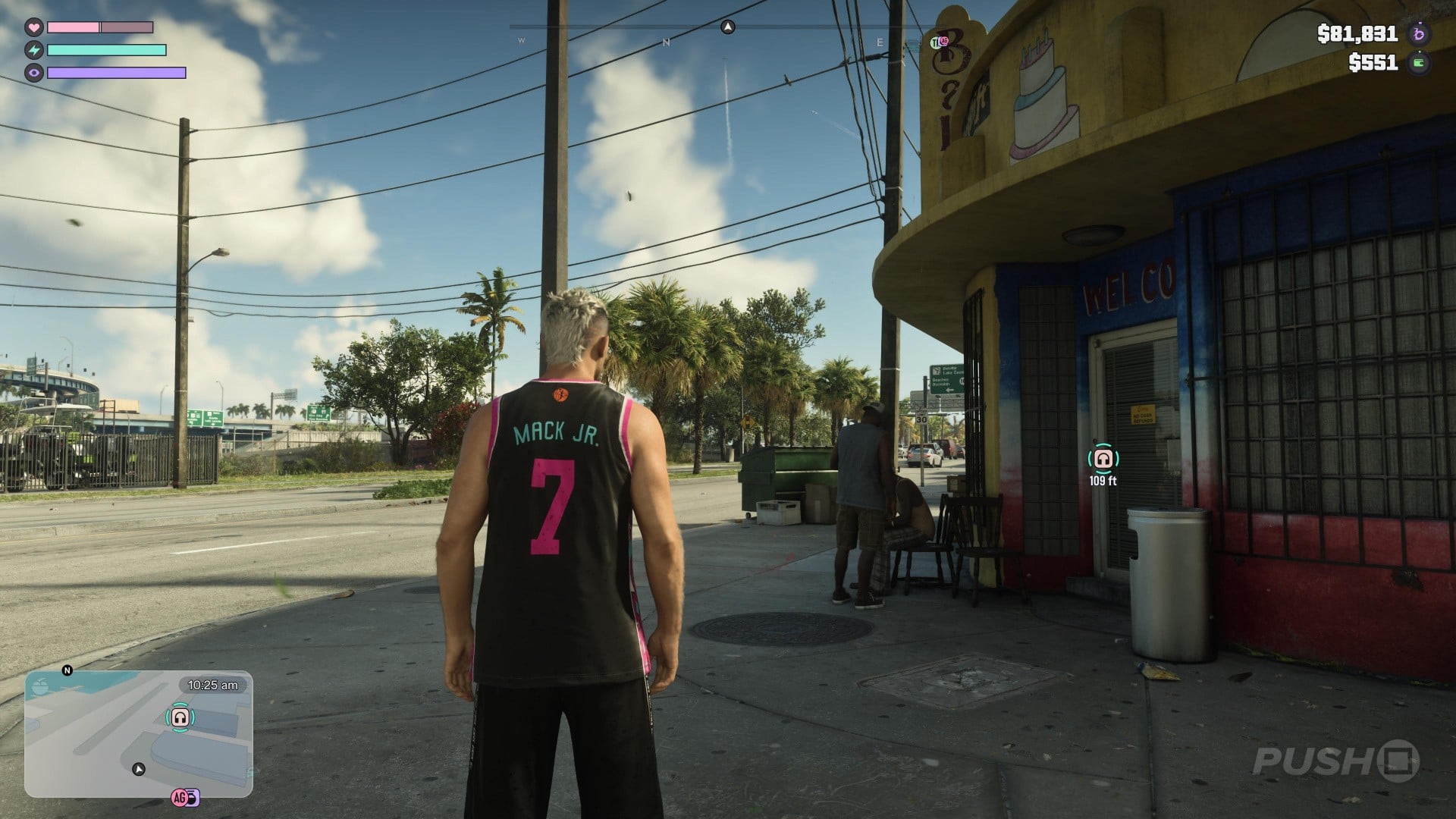
Money stored in your wallet will be lost if you're Busted or Wasted during gameplay, so it's really important you put this in your BuckMe bank.
The easiest way to do this is press Up to access your smartphone and select BuckMe > ATM Finder:
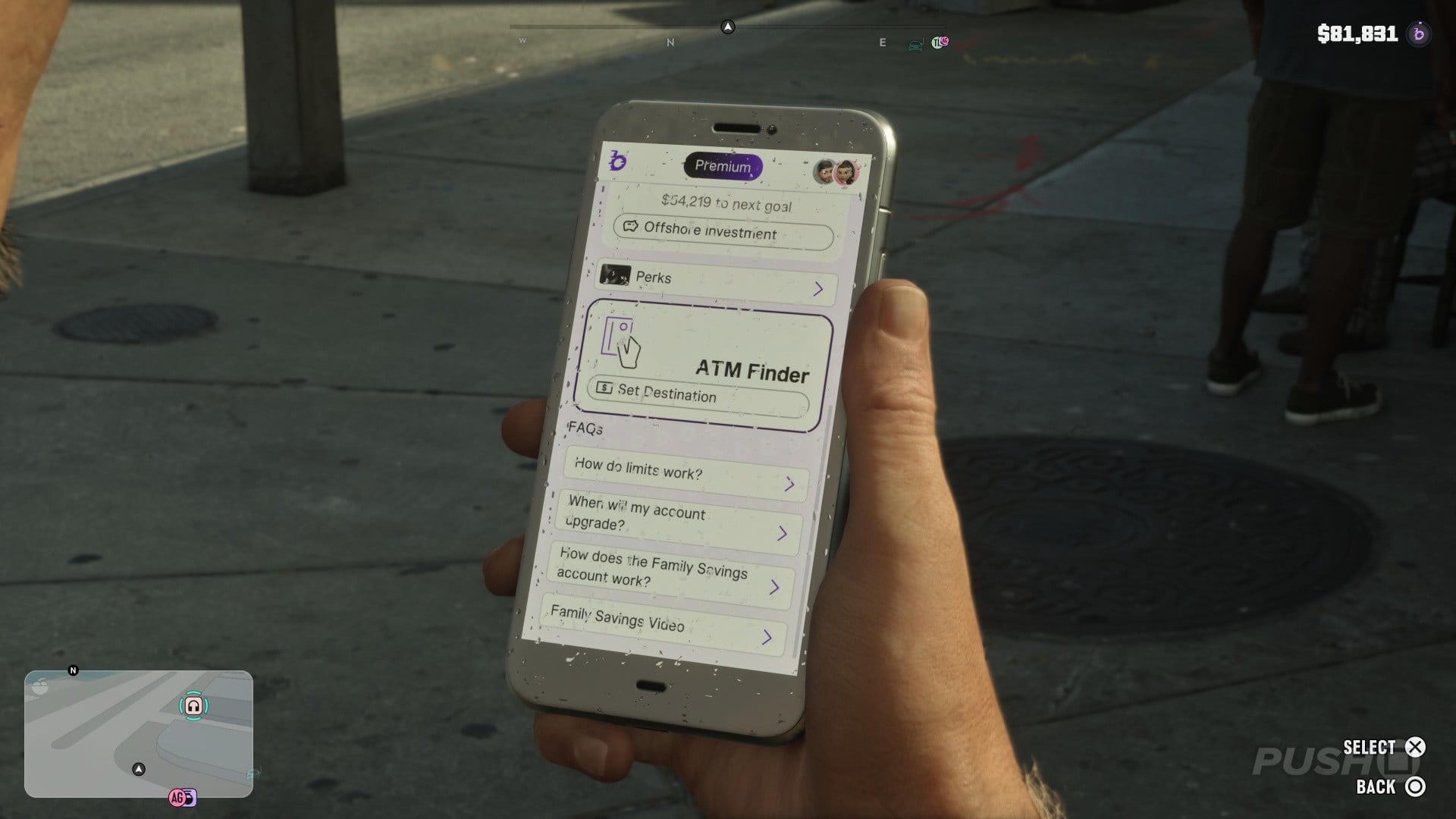
This will automatically select a waypoint to the nearest ATM machine. Follow it and deposit any funds in your wallet into your BuckMe bank, where it'll be safe even if you get arrested or die:
How Do You Incapacitate Enemies without Killing Them?
Throughout GTA 6, Jason and Lucia will build a criminal profile which can affect how NPCs and the wider world of Leonida responds to you.
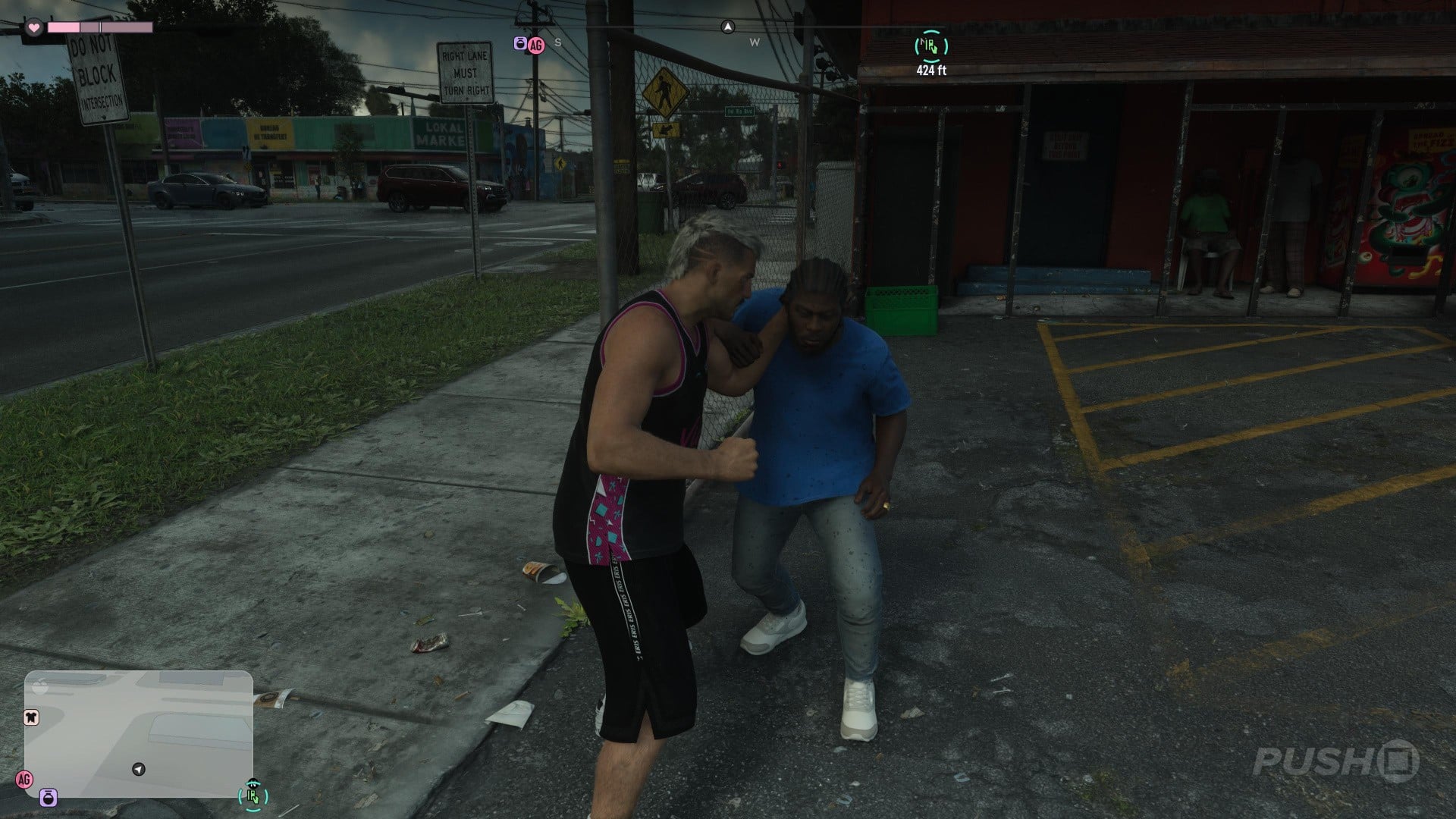
Murdering enemies will contribute towards a more aggressive criminal profile. As such, you may want to consider a non-lethal approach.
One way to do this is by favouring stealth and grabbing enemies with R2, so you can cleanly knock them out without killing them:
Another option, if you get caught up in a gunfight, is to target non-vitals like kneecaps and arms.
You can easily see non-vitals by pressing L3 and R3 and aiming at yellow parts of the body:
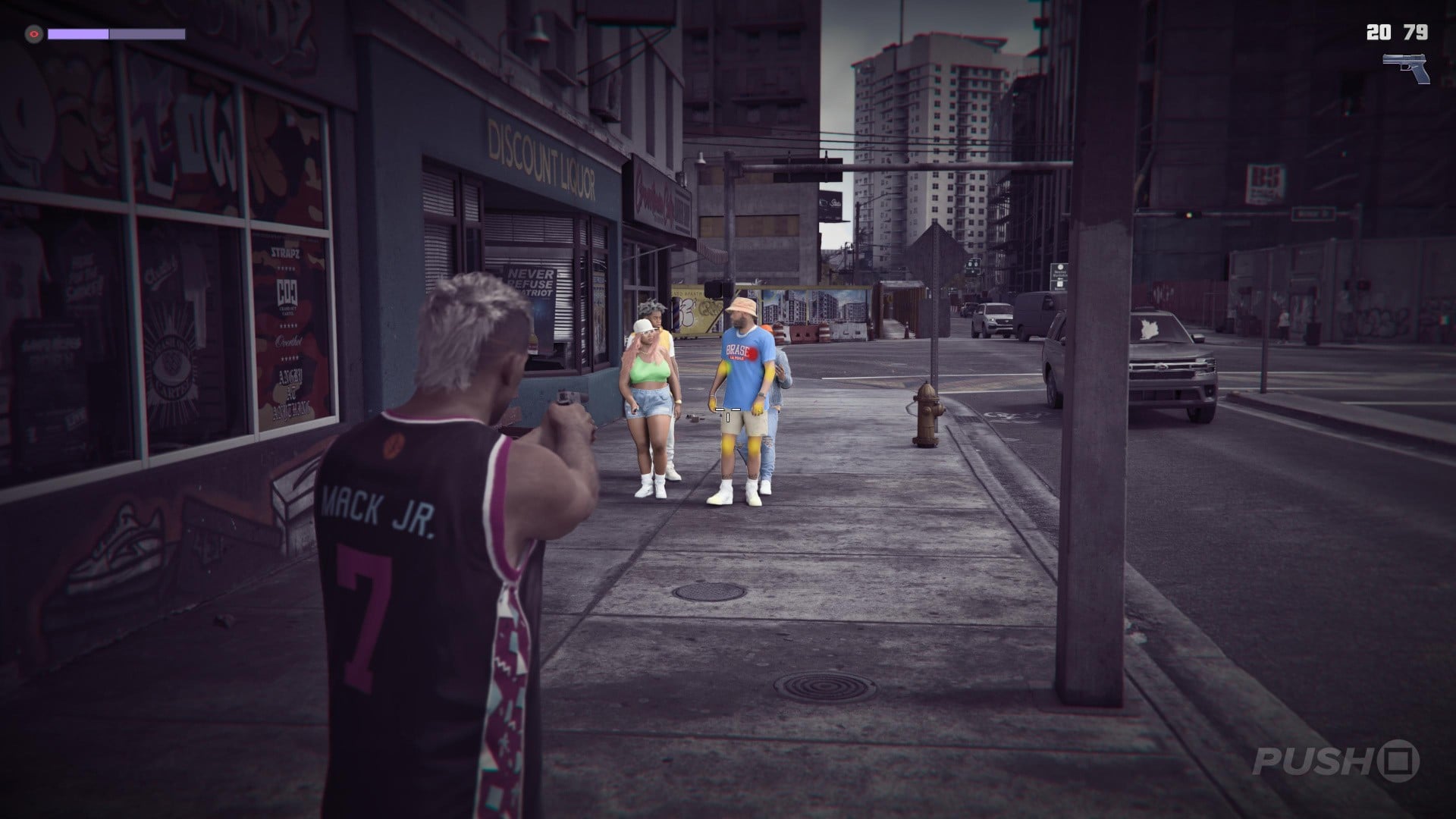
You'll know an enemy has been debilitated without killing them if a yellow X appears in your weapon's reticule. A red X will appear if your target has been murdered.
How Do You Quickly Set Waypoints?
If you need to set a quick waypoint to an important location in GTA 6, you don't necessarily need to press Touch Pad to bring up your map.
Instead, hold Down and you'll get an alternative in-game view of any nearby shops, waypoints, or story missions:
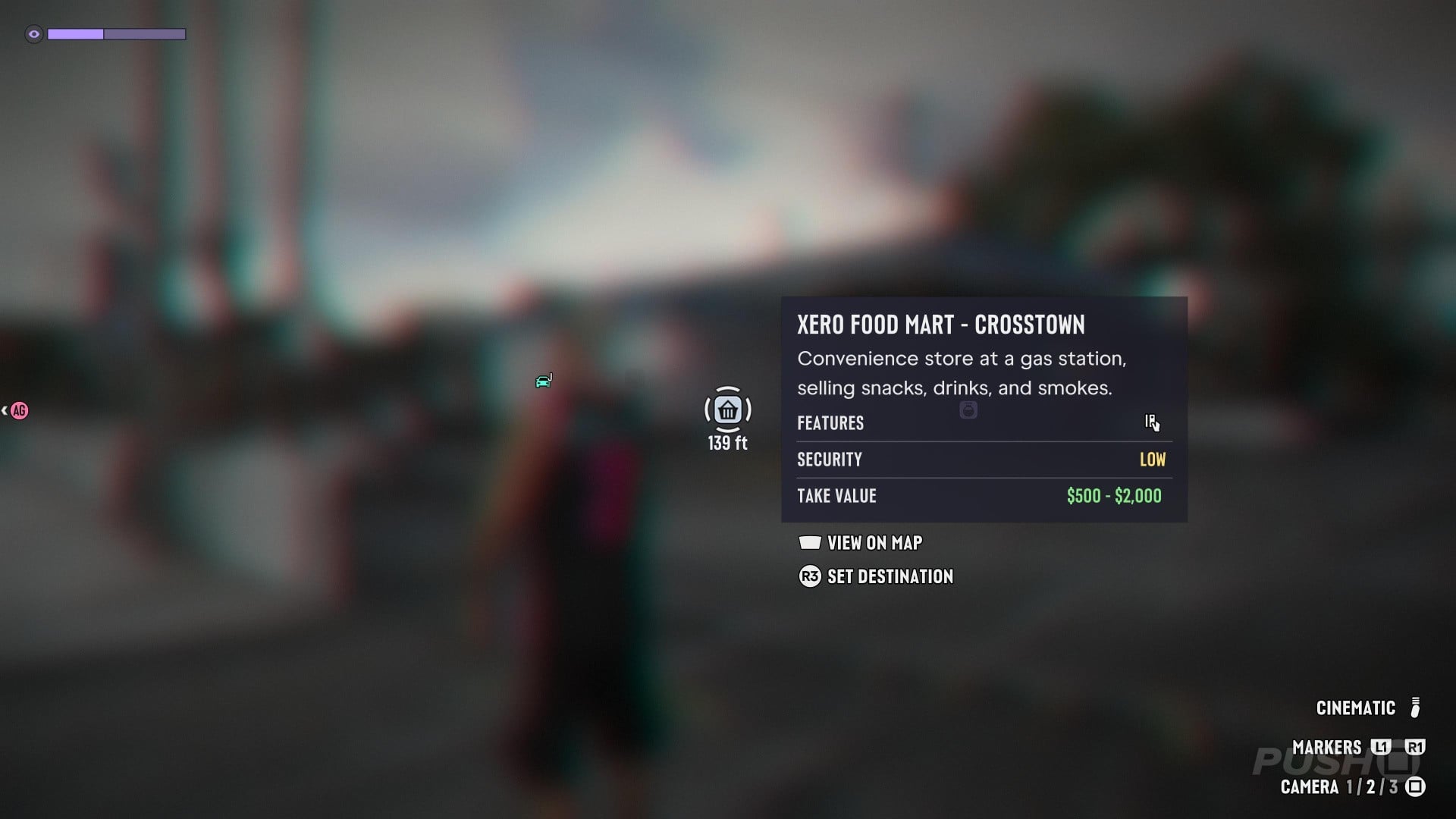
You can highlight any of these and press R3 to automatically set a GPS route to where you want to go.
How Do You Instantly Spawn Your Car?
There'll be times in GTA 6 when you're separated from your car and you want to spawn it nearby.
You can do this by opening your smartphone with Up and selecting the Scooter Bros app:
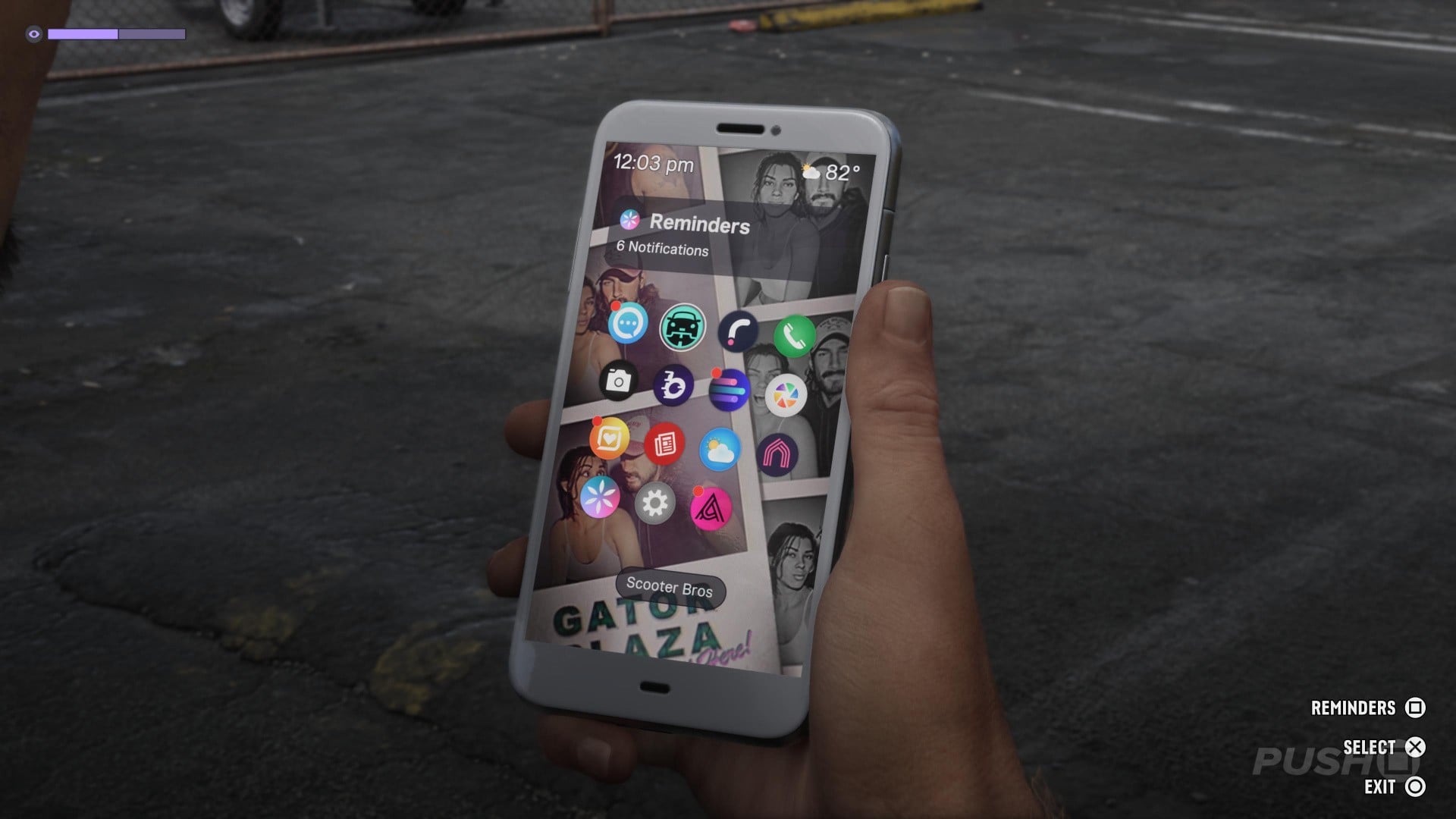
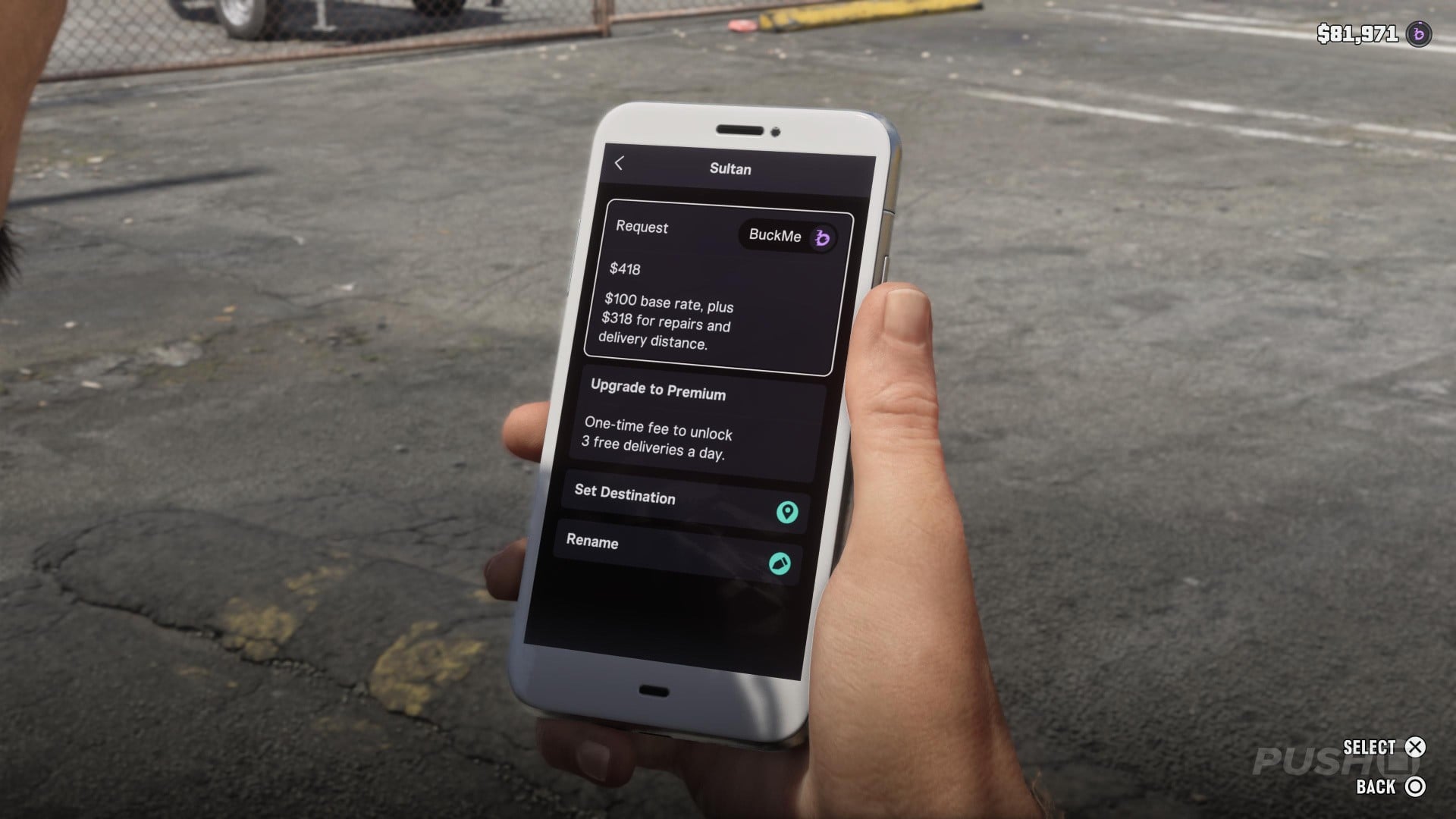
Select which car you want to use from the app and you'll be charged a fee depending on the delivery distance and your car's current condition:
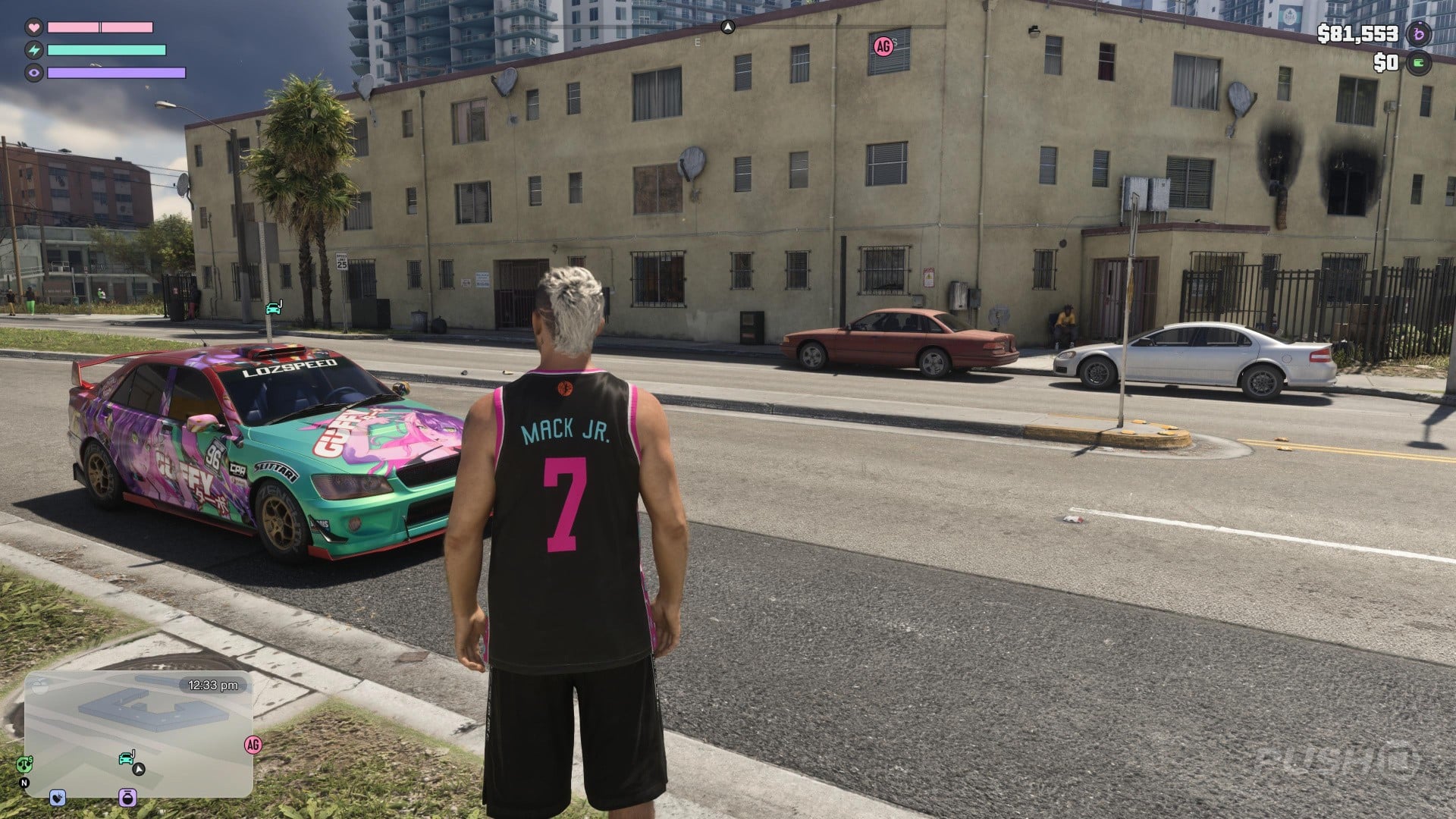
Your car will then automatically spawn in a nearby location, marked on your minimap:
How Do You Save Cars for Future Use?
Stealing or entering a car in GTA 6 does not mean you'll have access to it forever.
You'll need to park it in a Parking Space or Garage to temporarily store it, and register it at a Pay 'N' Spray to keep it forever.
Here's how it works.
Find a car you want to keep and set a waypoint for a Pay 'N' Spray, like with this Emperor Sultan I just stole:
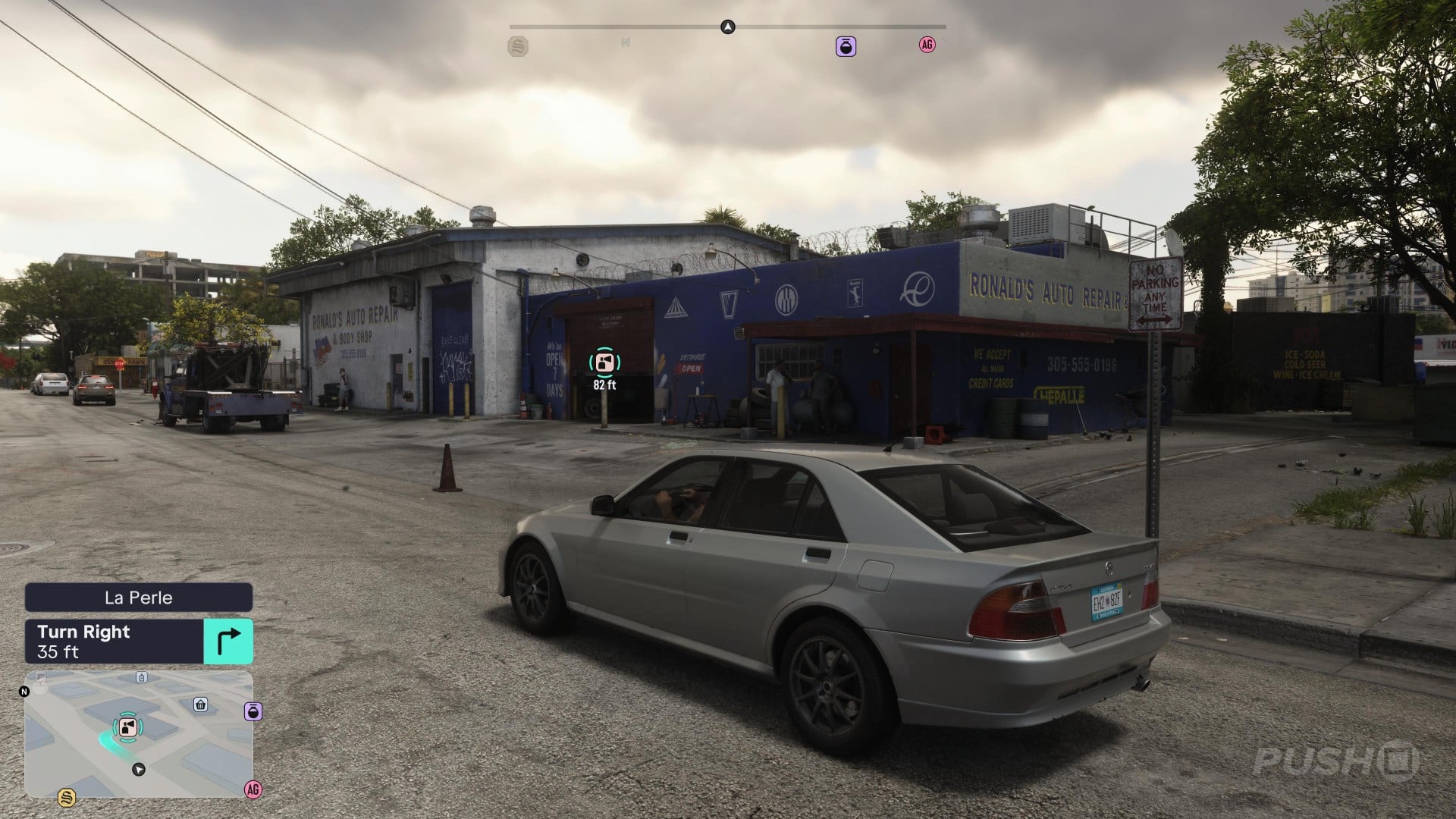
Drive into the Pay 'N' Spray and select Register to swap the plates. The fee commanded will depend on the value of the car:
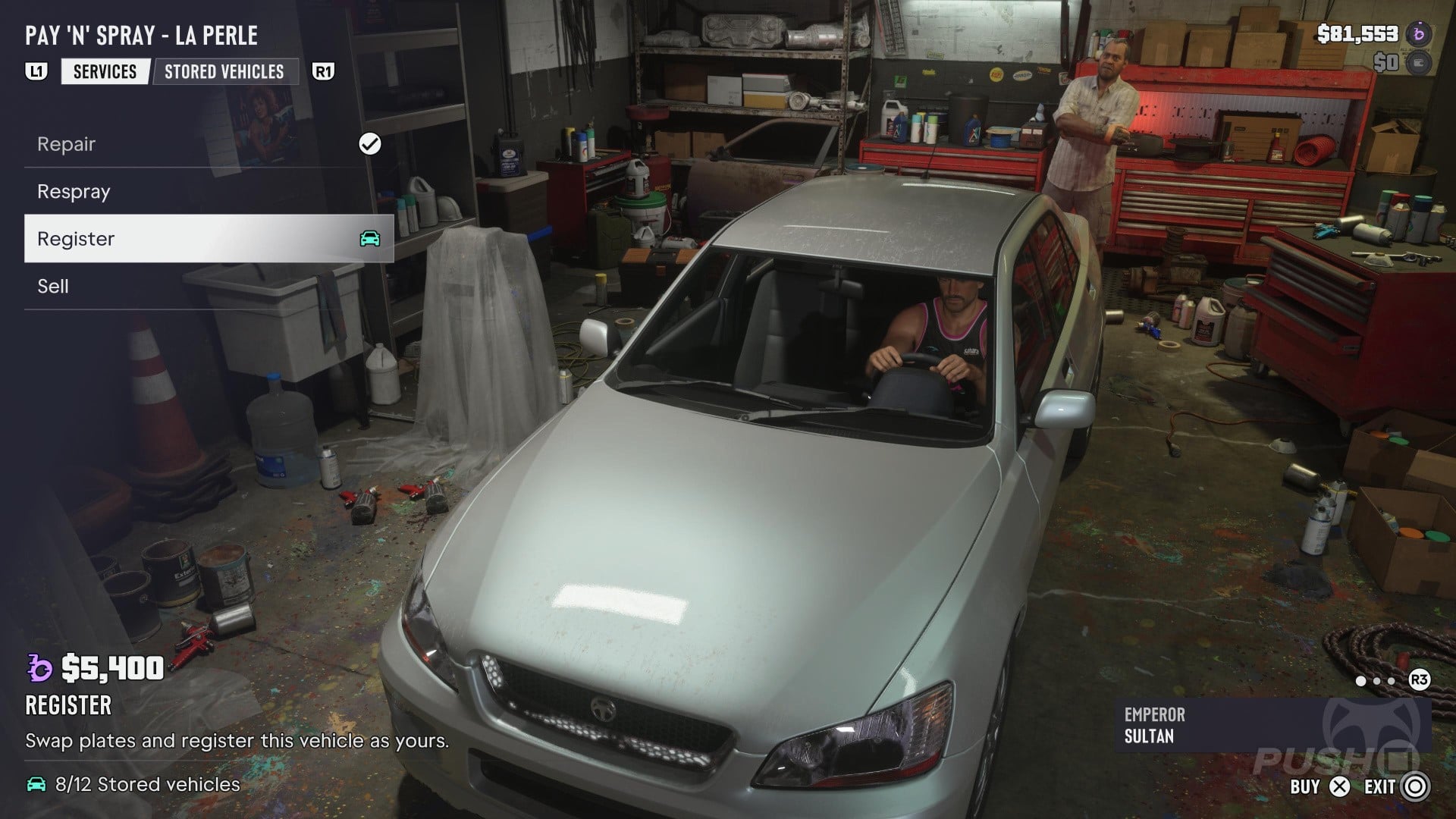
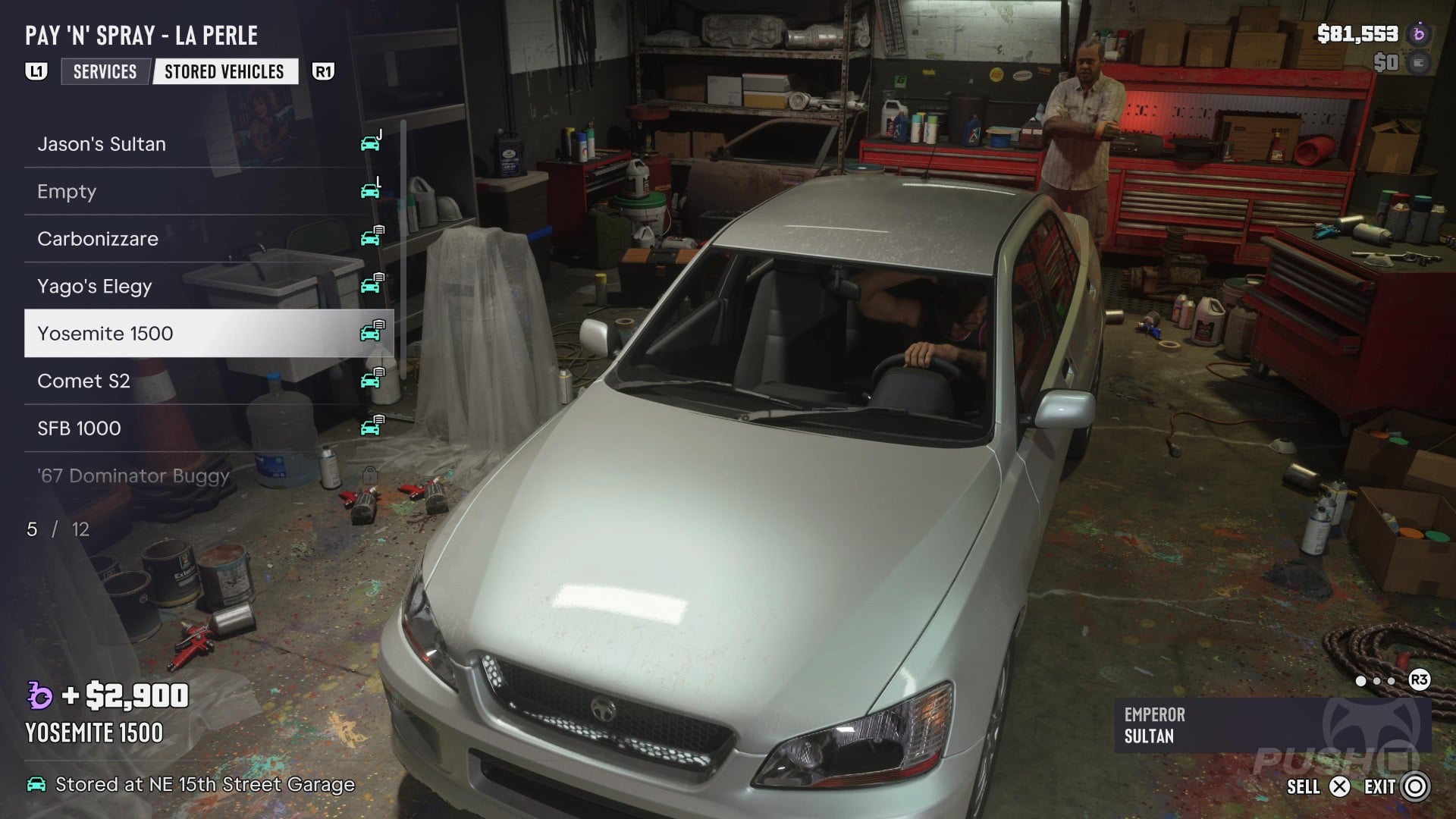
Note that you will need free Stored Vehicle slots to register your car. You can sell previous cars directly at the Pay 'N' Spray:
Alternatively, you can press Up to open your smartphone and select Vice City Real Estate. This will let you buy more garages for additional Parking Spots:
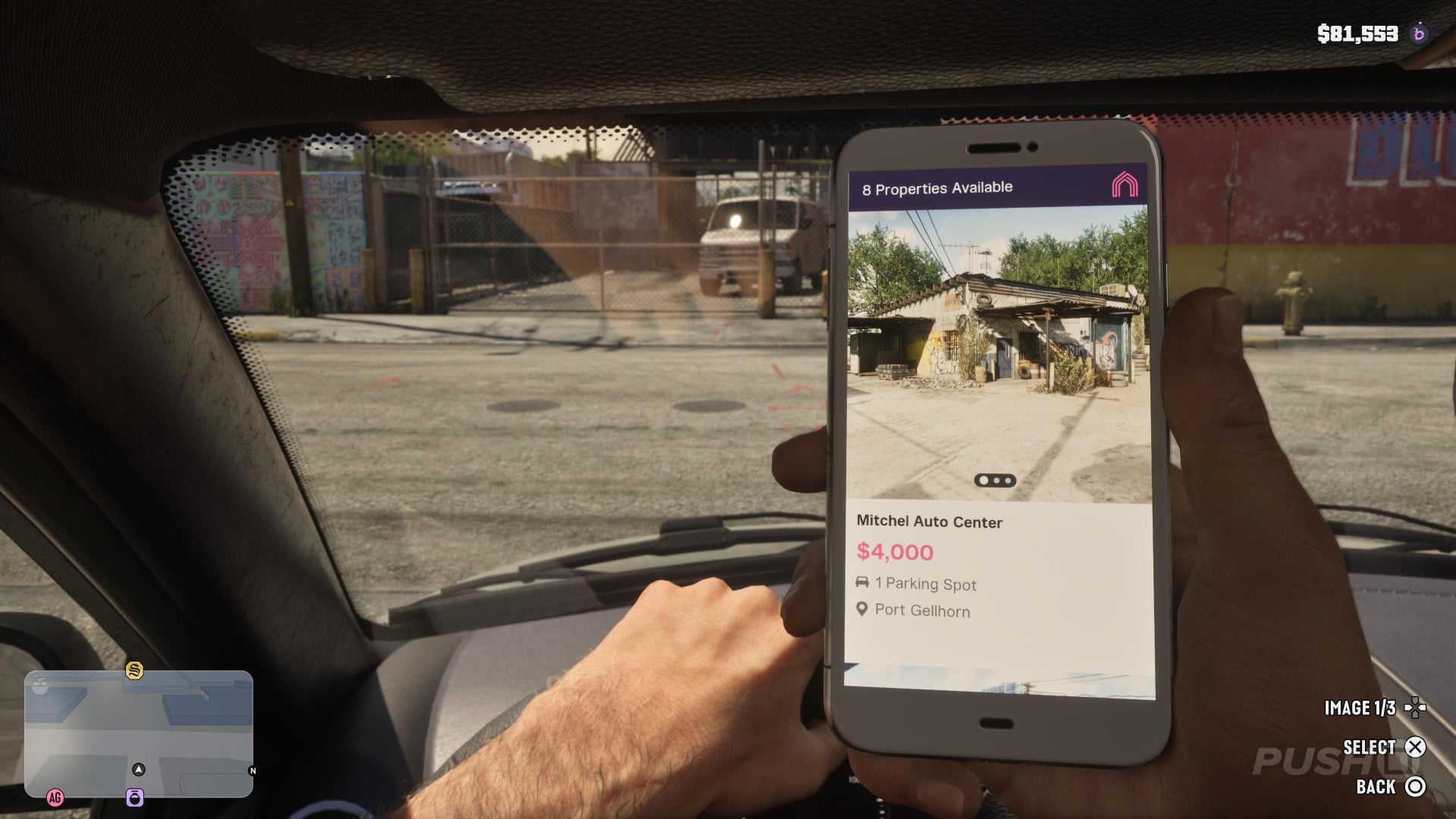
This feature becomes available during a story mission, so you may not immediately have access to it if you're still early in the campaign.
Where Do You Get Specialised Upgrades for Your Car?
Generic upgrades are available for all vehicles at any Mod Shop, but if you want specialist tunings you need to go to the right shop.
These are marked with a blue Wrench icon.
Press Up to open your map and then Right to open the map index.
Select Vehicles > Mod Shops and look for a Mod Shop with a blue Wrench icon, as shown:
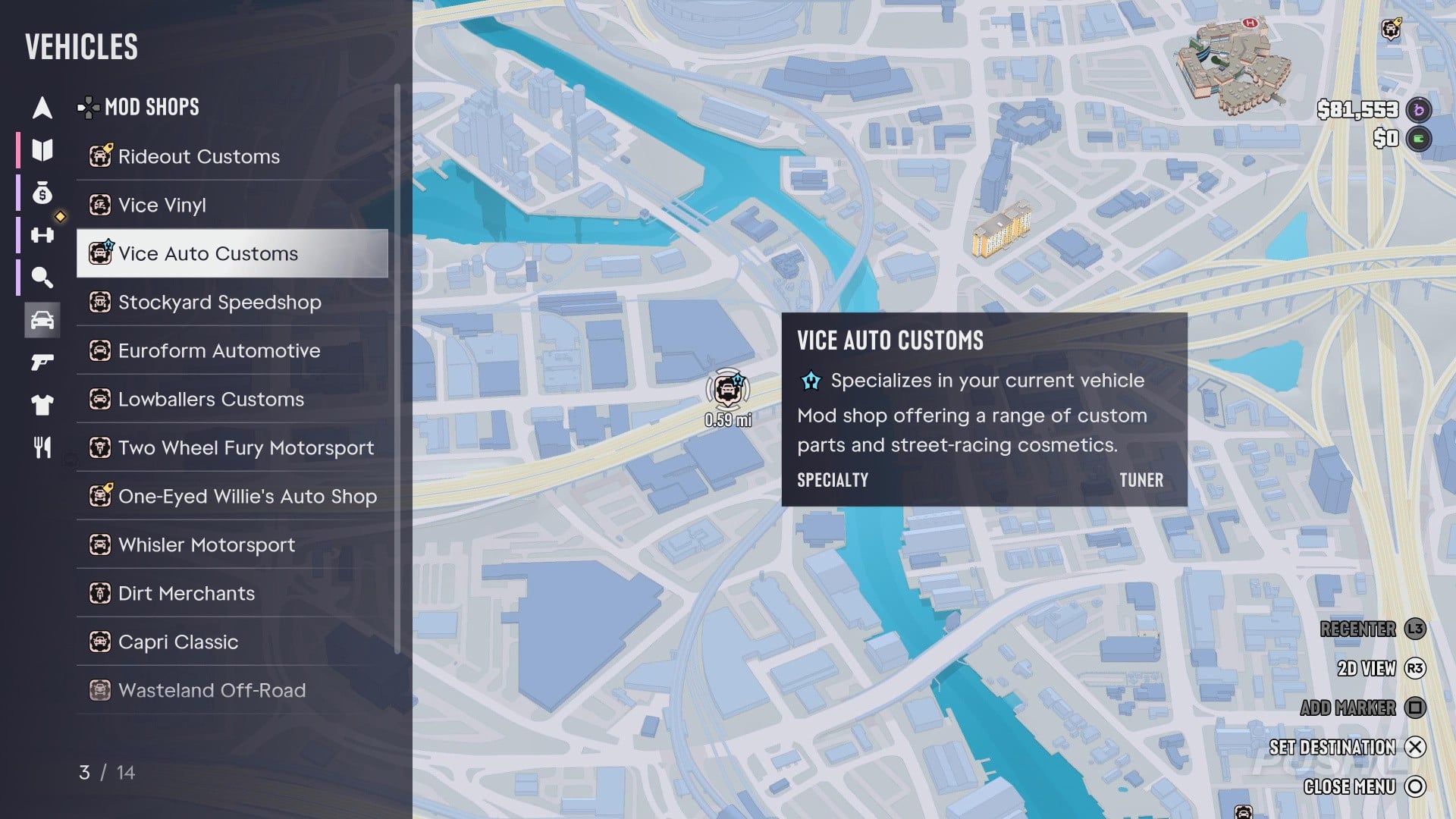
Set a waypoint for the appropriate Mod Shop and you'll find all of the customisations and specialised upgrades available for your current vehicle.
How Do You Quickly Find Important Messages?
Just like in real-life, staying on top of your smartphone notifications in GTA 6 can be time consuming.
Fortunately, the game will mark important messages for you in the Reminders tab:
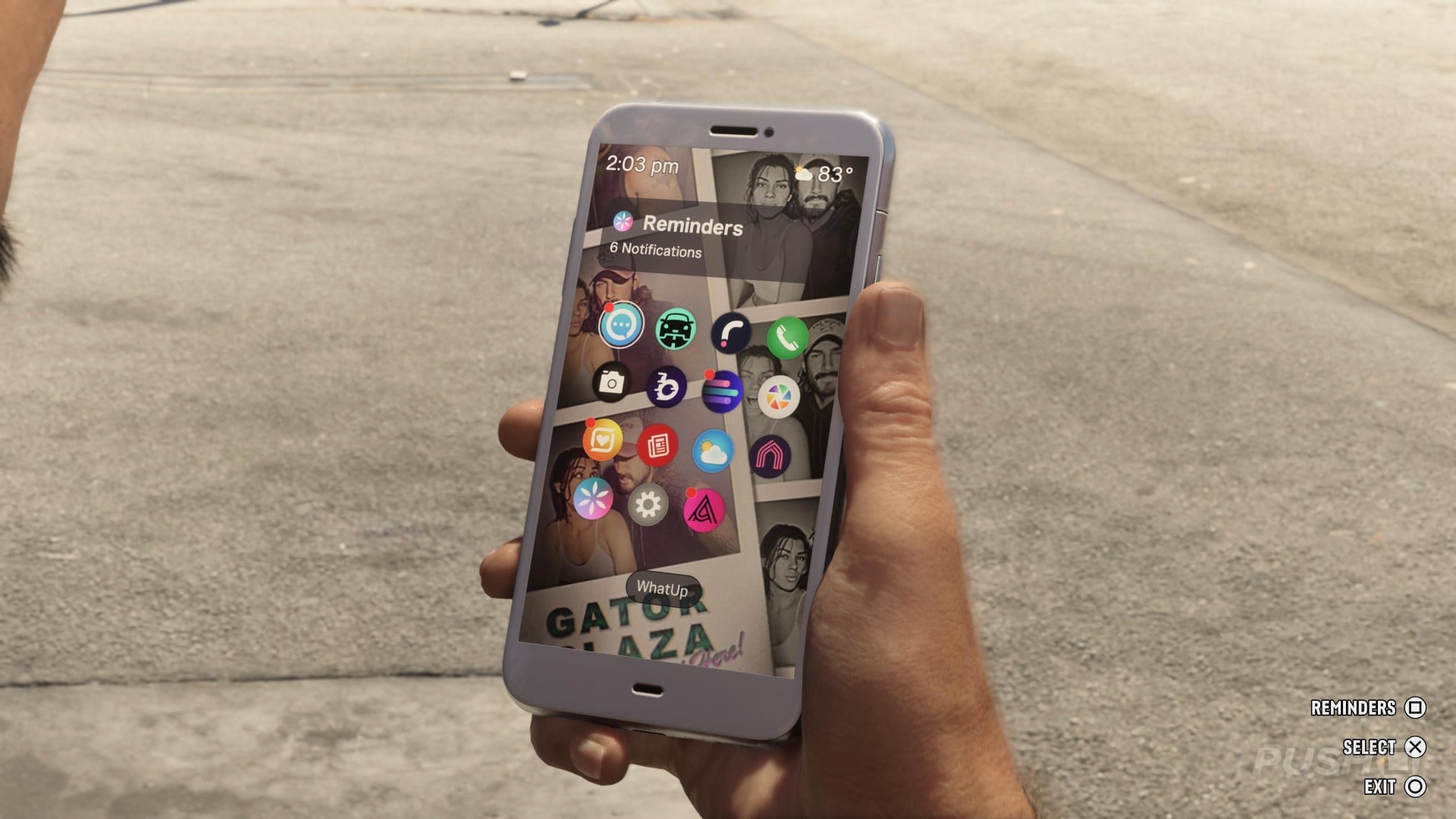
Press Up to bring up your smartphone and then press Square to access your Reminders.
Here you'll find a curated list of key messages, including in-game news articles and NPCs who are waiting for your replies:
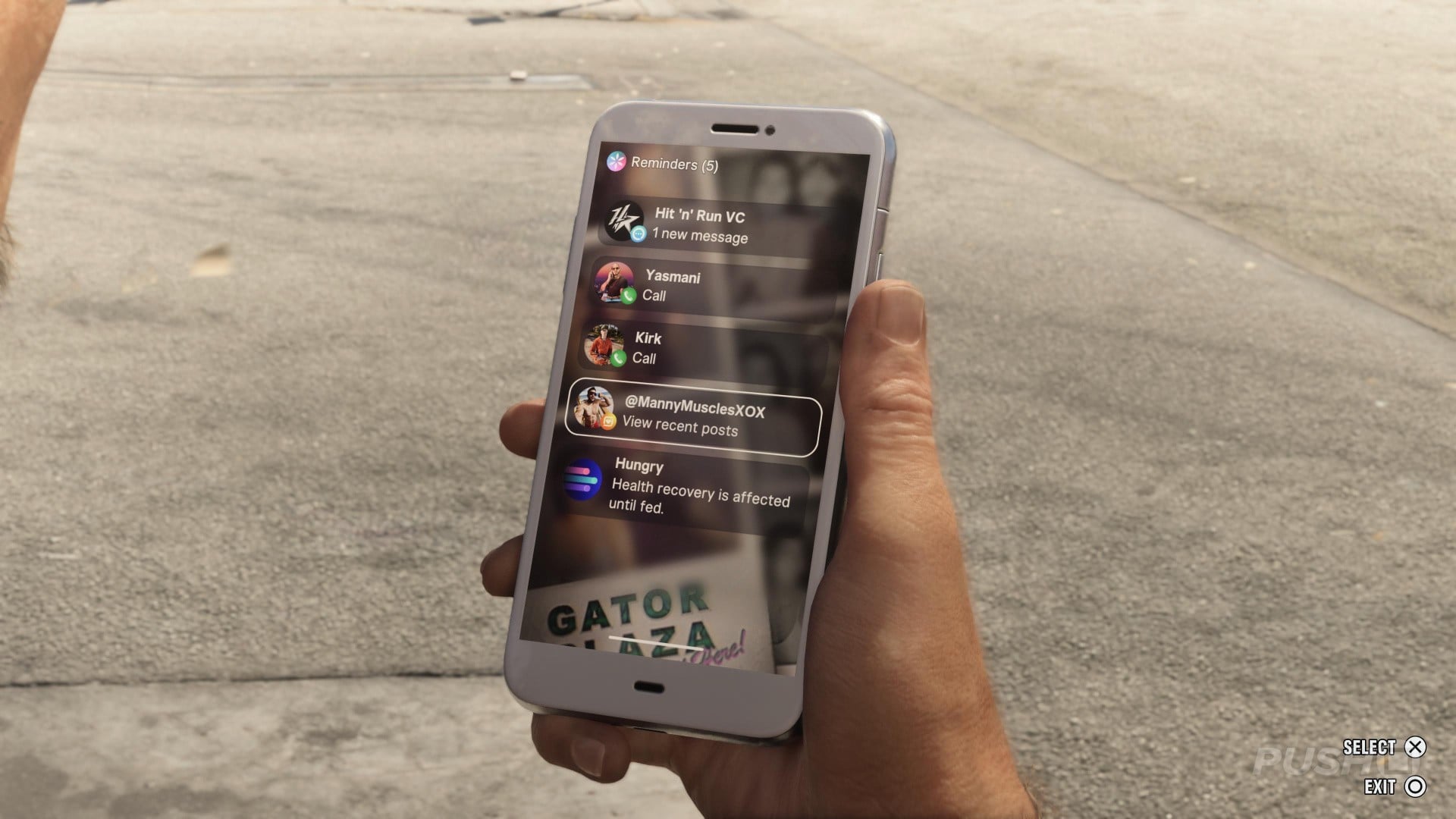
Hopefully you've learned a thing or two with this spoiler-free GTA 6 walkthrough and collectibles guide. Are there any other tips and tricks you think the world should know? Share them in the comments section below.
PlayStation Buttons based on work by VictorPines, CC BY-SA 4.0, via Wikimedia Commons


Comments 3
I don’t even have the game (pending yet) but I am reading this article right now and it is so much like reading an instruction manual of yesteryear. This would be a really cool format if manuals were printed in a “How do I/you….?” template like this.
PushSquare out here trailblazin’!
"there's a pink "sweet spot" you can find to speed up the action"
Go careful with this tip guys
@roe I’ve been looking for this sweet spot but it’s hard to find 😂
Show Comments
Leave A Comment
Hold on there, you need to login to post a comment...